

From Chaos Coordinator to Calm Commander
Family calendar organization can be the difference between a smooth week and total household mayhem. Here’s what you need to know:
Quick Guide to Family Calendar Organization:
- Choose your system – Digital (Google Calendar, Cozi, Apple Calendar), physical (wall calendar, dry-erase board), or a hybrid approach
- Get everyone involved – Share access with all family members who can participate
- Use color-coding – Assign each person or activity type a unique color
- Add everything immediately – From soccer practice to work meetings to dentist appointments
- Set up recurring events – Automate regular commitments like weekly practices
- Hold weekly planning sessions – 10-15 minutes to review and coordinate the week ahead
- Build in buffer time – Leave gaps between activities for unexpected delays
Between school drop-offs, soccer practice, doctor’s appointments, and trying to remember whose turn it is to take out the trash, family schedules can feel overwhelming. You’re not imagining it—70% of millennial and Gen Z moms handle most of their family’s appointment scheduling, and the mental load is real.
The good news? You don’t have to keep everything in your head anymore.
A shared family calendar system—whether it’s a colorful wall calendar on your fridge or a digital app everyone can access—transforms chaos into clarity. It makes everyone’s commitments visible, reduces last-minute scrambles, and creates accountability across the whole household.
The principles behind any great organizational system—whether for a business or a family—are the same. Effective family calendar organization succeeds when it’s simple to use, shared by everyone, and customized to your unique household.
Let’s walk through exactly how to set up a system that actually works for your family.
Why a Shared Calendar is Your Secret Weapon Against Family Chaos
We know the feeling: “No, I’m still working. I thought you were serving the kids dinner at 6?!” Juggling modern life with kids isn’t easy for any of us. School events, basketball practice, swimming lessons, and doctor’s appointments can quickly become overwhelming. These are the main challenges families face when organizing their schedules—missed messages, double-bookings, and the invisible mental load often carried by one parent.
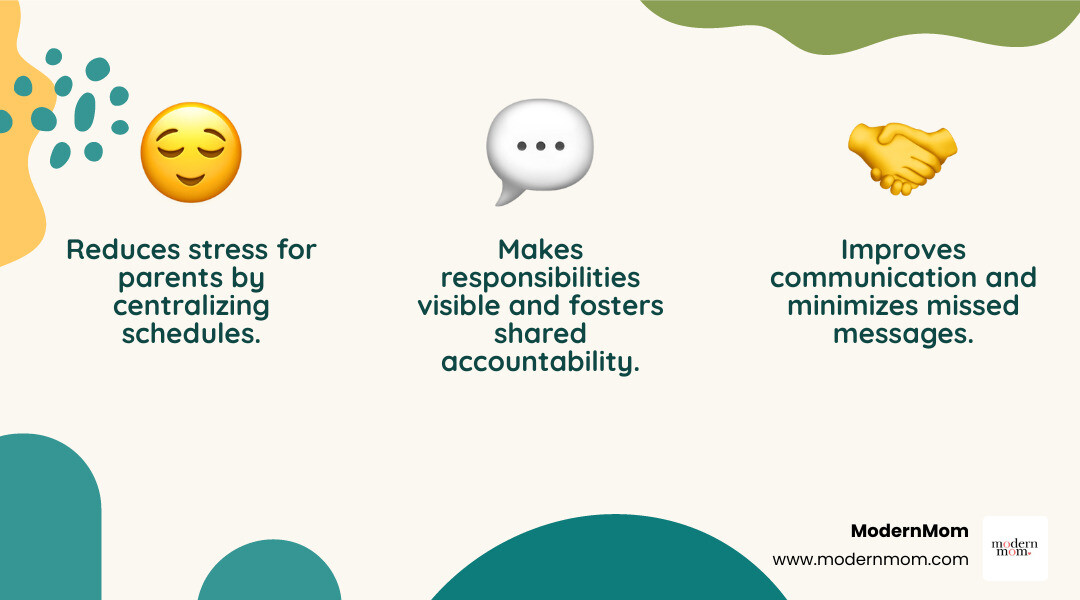
A shared family calendar, however, is a game-changer. It helps us improve communication by centralizing all information. It makes responsibilities visible, reducing arguments over whose turn it is to do the dishes or take out the garbage. Most importantly, it reduces stress, especially in homes with young kids, as studies show visible task-sharing improves communication and reduces stress.
If you like to nerd out on the “why” behind this, research on cognitive load and mental workload shows how offloading details onto an external system (like a calendar) can free up precious brain space for more meaningful things. You can read more about mental workload and how our brains handle complex tasks.
When everyone knows what’s happening, we spend less time on logistical acrobatics and more time enjoying each other.
A well-managed calendar frees up more time for family fun. We’re not just tracking appointments; we’re creating a system to manage our time and ensure our family’s needs and desires are met.
5 Ways to Celebrate the Small Wins This Year
Choosing Your Command Center: Digital, Physical, or a Mix?
The first step in effective family calendar organization is deciding on the right tool for your family. There’s no one-size-fits-all answer; the best system is one that matches your family’s unique lifestyle. Will you go analog, digital, or a mix of both?

The Pros and Cons of Digital Family Calendar Organization
Digital calendars offer incredible flexibility and power for busy families.
Pros:
- Syncs across devices: One of the biggest advantages is auto-syncing across phones, tablets, and computers. This means everyone always has the most up-to-date schedule.
- Automated reminders: Digital apps can send push notifications before each activity, helping us avoid forgotten appointments and last-minute scrambles.
- Accessible anywhere: Whether we’re at work, school, or on the go, our family calendar is always just a tap away.
- Advanced features: Many digital options offer more than just scheduling. They can include shared shopping lists, to-do lists, chore trackers, meal planning, and even real-time location services.
- Color-coding options: Digital calendars make it easy to assign different colors to family members or event types for quick visual scanning.
Cons:
- Less visible for young kids: Younger children who aren’t yet using devices might struggle to engage with a purely digital calendar. We might need a supplementary visual aid for them.
- Requires some tech comfort: While most apps are user-friendly, some family members might prefer a more traditional approach.
- Email dependency: Some apps require all family members to have an email address to participate, which can be a barrier for younger children.
Popular digital tools include:
- Google Calendar: Excellent for Android users or families with shared Gmail accounts. It syncs across devices, allows multiple color-coded calendars per person, and integrates with Google Assistant.
- Apple Calendar: A seamless choice for Apple users, offering easy integration across iPhones, iPads, and Macs.
- Cozi Family Organizer: A long-time favorite, offering shared color-coded calendars, shopping lists, to-do lists, and recipe organization.
- Maple: An all-in-one household management app that keeps your home organized and working together, focusing on planning, scheduling, sharing lists, and collaboration.
- FamilyWall: Offers two-way syncing with Apple or Google calendars, color-coded activities, recurring events, and shared to-do lists.
- Motion: An AI-driven calendar that aims to combine work and family schedules, helping us manage time efficiently.
5 Ways for Moms to Have Manners in a World of Technology
Why a Physical Calendar Still Works
Sometimes, the old ways are the best ways, or at least a valuable complement.
Pros:
- Highly visible central hub: A large wall calendar or whiteboard in a high-traffic area like the kitchen or mudroom is impossible to ignore. It serves as a constant visual reminder for everyone.
- Great for teaching kids about schedules: Younger children can physically interact with it, marking off days, adding stickers, or drawing pictures, helping them understand routines and upcoming events.
- No tech required: Perfect for families who prefer to unplug or for members who aren’t comfortable with digital tools.
- Tactile satisfaction: There’s a certain satisfaction in physically writing down events and crossing them off.
Cons:
- Can’t be updated on the go: If plans change while you’re out, you’ll need to remember to update the physical calendar later.
- No automated reminders: We have to rely on our own memory or daily check-ins to remember events.
- Less flexible: Recurring events need to be written out repeatedly, and there’s no easy way to sync with other digital schedules.
- Clutter potential: Without a consistent system, paper calendars can contribute to paper clutter.
Many families find a hybrid approach works best, using a digital calendar for the main organizational heavy lifting (syncing, reminders) and a physical wall calendar as a visual backup, especially for younger children.
How to Organize Your Family Calendar Like a Pro
Once we’ve chosen our command center—digital, physical, or a combination—it’s time to set it up for success. What features should we look for, and how can we use them effectively?
When selecting or setting up your system, look for these key features:
- Shared access: The ability for all relevant family members to view and contribute to the calendar.
- Color-coding: A must-have for quick visual identification of who, what, or where.
- Reminders and alerts: Crucial for digital calendars to ensure no event is missed.
- Task and chore scheduling: Many apps go beyond just events, allowing us to assign and track household responsibilities.
- Syncing capabilities: If using digital, ensure it can integrate with other calendars (work, school, personal) we might already use.
- Easy for everyone to use: Simplicity is key. If it’s too complicated, it won’t be adopted by the whole family.
Mastering Your System: Pro Tips for Family Calendar Organization
Now that we understand the tools, let’s dive into practical strategies that will make your family calendar organization truly shine.
1. Use Color-Coding Like a Pro
Color-coding is a visual superpower for any calendar. We can assign a unique color to each family member, making it instantly clear whose activity is whose. For example, blue for Mom, green for Dad, yellow for our oldest, and red for our youngest.
Alternatively, we can color-code by activity type:
- Medical appointments: Purple (easy to spot those important health dates).
- School events: Orange.
- Sports/extracurriculars: Green.
- Family fun/social events: Yellow.
- Work commitments: Blue.
This strategy helps us scan the calendar at a glance and quickly understand the day’s or week’s commitments without reading every detail. It can help us identify whether one person is overscheduled or whether certain days are particularly hectic.
2. Get the Whole Family on Board
A family calendar is only effective if everyone uses it. This means getting buy-in and participation from every family member, from toddlers to teenagers to partners.
- For younger kids: While they might not be adding events, we can involve them in other ways. Use stickers on a physical calendar to mark their activities, or let them help plan fun events like a 7th Birthday Party or a family movie night. Talking through the calendar with them daily helps them mentally prepare and count down to exciting events.
- For teens: This is where accountability really starts. Empower them by giving them responsibility to add their own school projects, social plans, and appointments to the shared calendar. This teaches valuable life skills and reduces our burden.
- For partners: Communication is paramount. We know that only 34% of millennial and Gen Z moms report sharing household responsibilities equally with their partners. A shared calendar can be a powerful tool to address this imbalance. Emphasize teamwork and the shared benefit—less stress for everyone, more clarity, and less nagging. When both partners actively contribute, the mental load is distributed more evenly.
How to Make Your Kids Successful Human Beings
3. Establish a Calendar Routine
Consistency is key to a successful family calendar.
- The “Everything Goes on the Calendar” rule: Make it a non-negotiable family rule. If it’s not on the calendar, it doesn’t exist. This includes school events, work meetings, doctor’s appointments, playdates, date nights, and even quiet family time. Input events as soon as they arise, and discard paper reminders immediately to avoid clutter.
- Weekly check-in: Schedule a brief, 10-15 minute “family meeting” once a week, ideally on Sunday evening. This isn’t a formal board meeting, but a quick huddle to review the upcoming week, confirm logistics, and adjust as needed. This is a great time to discuss who’s driving where, what’s for dinner, and any potential conflicts.
- Daily huddle: A quick morning or evening check-in helps everyone stay aligned. This could be as simple as verbally reviewing the day’s schedule over breakfast or a quick glance at the wall calendar before bed. For digital users, automated daily agenda emails from apps like Cozi can serve this purpose.
4. Integrate Work, Home, and Everything In-Between
Our lives aren’t neatly compartmentalized, and neither should our calendars be. Effective family calendar organization means bringing all aspects of our lives into one cohesive view.
- Share work commitments for visibility: If both partners work, it’s incredibly helpful to have each other’s work schedules visible on the family calendar. This allows us to coordinate childcare, appointments, and household tasks more effectively. Apps like Motion aim to integrate personal and professional calendars seamlessly.
- Block out non-negotiables first: Start by filling in fixed items like school hours, work schedules, medical appointments, and bedtime routines. These are the anchors of our week.
- Schedule downtime and family fun: In the rush of daily life, it’s easy to overlook making time for relaxation. But just like a doctor’s appointment, family time, date nights, and personal downtime are crucial. Put them on the calendar! This ensures we prioritize connection and prevent burnout.
Beat the Winter Blues with a Trip to a Family-Friendly All-Inclusive Resort
5. Be Flexible: Plan for the Unexpected
Even the most carefully organized calendar can be derailed by life’s curveballs. The key isn’t to prevent all disruptions, but to build in resilience.
- Build buffer time between appointments: Don’t schedule back-to-back events without a little breathing room. Even a 15-30 minute gap can save our sanity when a meeting runs long, traffic hits, or a child has a minor meltdown. This buffer prevents us from constantly feeling rushed and stressed.
- Have a backup plan for common disruptions: What happens if someone gets sick? Who can pick up the kids if we’re stuck in traffic? Thinking through these scenarios ahead of time can prevent last-minute panic.
- Remember: Communication is your best tool: When unexpected changes occur, immediate and clear communication with our partner and other family members is vital. This helps everyone adjust and minimizes frustration.
Frequently Asked Questions about Family Calendars
How do I get my partner to actually use the shared calendar?
This is a common challenge, and you’re definitely not alone. We know that the mental and physical load often falls disproportionately on moms, with 68% of millennial and Gen Z moms waking up for a child at night, while 58% of their partners don’t wake up at all. To encourage partner involvement, try these strategies:
- Start with the “why”: Frame it as a way to reduce stress for everyone and improve family harmony, not just to help you. Explain how visible schedules mean fewer missed events, less nagging, and a calmer household.
- Make it a shared project, not a directive: Work together to choose the system and set it up. Ask for their input on how they prefer to see information and what features would be most helpful for them.
- Lead by example: Consistently use the calendar yourself. When they see it working and making your life easier, they’ll be more inclined to participate.
- Celebrate successes: When the calendar helps avoid a double-booking or ensures a smooth transition, point it out and acknowledge the positive impact.
- Delegate specific tasks: Assign them the responsibility for inputting their own work schedule or a child’s sports schedule.
What’s the best way to manage multiple kids’ sports schedules?
Kids’ sports can feel like a full-time job for parents! Here’s how to keep it organized:
- Input all schedules as soon as you get them: Don’t wait. As soon as you receive the season schedule, game times, and practice dates, add them to your family calendar immediately. If the league uses an app, many family calendar apps can sync with external calendars.
- Use color-coding for each child’s activities: If you have multiple children playing different sports, assign a specific color to each child. This makes it incredibly easy to see at a glance who needs to be where.
- Create a separate “Carpool” category or event: Coordinate rides with other parents by creating a dedicated calendar category or event type for carpooling. You can even use shared notes within some apps (like TimeTree) to organize who’s driving when.
My kids are too young for a phone. How can a digital calendar work for us?
Even without personal devices, digital calendars can be incredibly beneficial for families with young children:
- Use a tablet or smart display in a central spot: Place an iPad or a smart home display (like a Google Nest Hub or Amazon Echo Show) in a common area, such as the kitchen. This acts as a visual hub for the digital calendar that everyone can see.
- Try a hybrid system with a physical calendar they can see: Many families find success by maintaining a digital calendar for the parents’ management and syncing it with a physical wall calendar for the kids. Use a large dry-erase calendar on the fridge, and you can even use emojis or stickers to represent activities.
- Parents manage digital entries, but talk through the schedule with kids daily: You’ll be the primary inputter, but make it a ritual to review the calendar with your young children. Point to the day’s activities, explain what’s coming up, and build their understanding of routines. This helps them feel secure and prepared.
Conclusion: Reclaim Your Time and Your Sanity
Effective family calendar organization isn’t about being perfect; it’s about creating a system that reduces stress, improves communication, and gives us more time for what truly matters. By choosing the right tools, getting everyone involved, establishing routines, and building in flexibility, we’re not just managing schedules—we’re cultivating a more collaborative and peaceful home environment.
You’re building a more collaborative, less stressful home—one calendar event at a time. We know the mental load is real, and you’re doing an amazing job. For more tips on reducing stress and finding balance, check out our resources on Mom Stress Relief.
The post Family Calendar Chaos? Apps, Tips, and Tricks for Seamless Scheduling appeared first on ModernMom.